
Wirelessa Gateway connect with Yearstar
This document mainly describes the detailed steps of connecting the wireless gateway with Yearstar.
Follow the steps below to configure two-way calls between the phone and the gateway:
Outgoing call: from Yearstar SIP extension 1000 to the gateway through relay 6700;
Incoming call: call from an outside line to the gateway, through SIP trunk 6700 to Yearstar, and then send the call to the 1000 SIP extension through Yearstar;
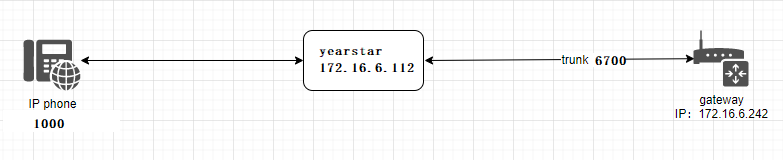
In the following steps, the parameters below are mandatory configurations, and other parameters can be configured according to your needs.
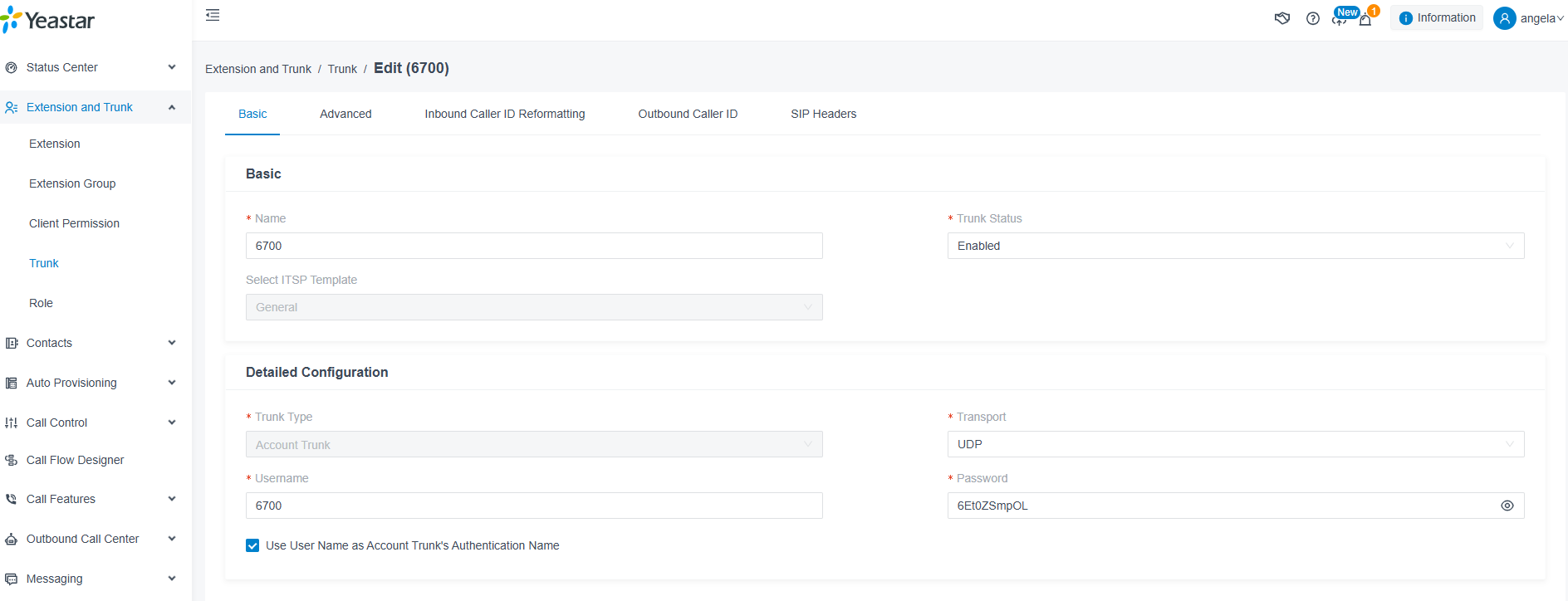
Step1. Create a SIP Trunk in Yearstar Server
Please login your Yearstar server to create a SIP trunk(6700) .In Yearstar server web, please choose “Trunk—>Basic” to set like that:
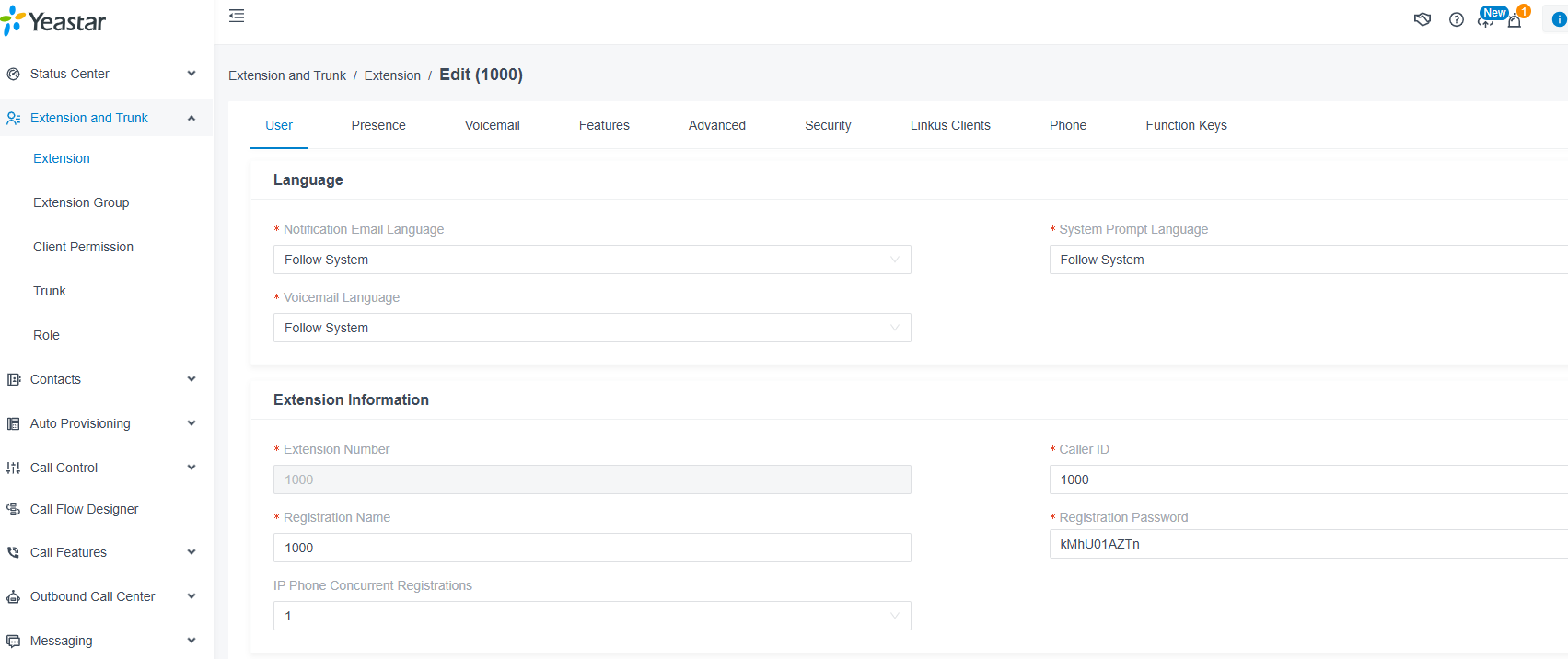
Step 2. Create a sip extension named 1000
Create a sip extension named 1000 in webpage “Extension and Trunk —->Extension”.
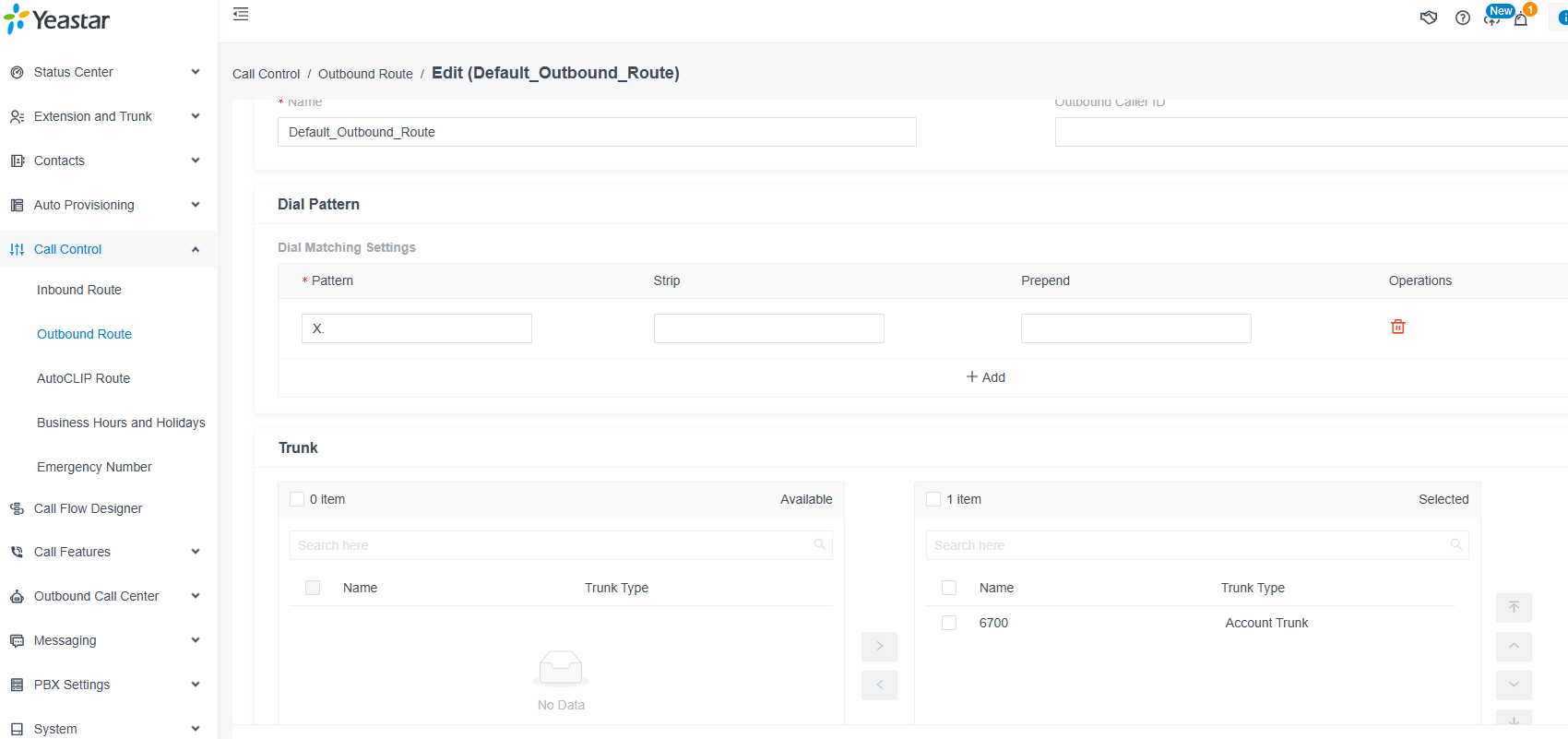
Step 3. Configure Routings in Yearstar
Outbound routing rules:
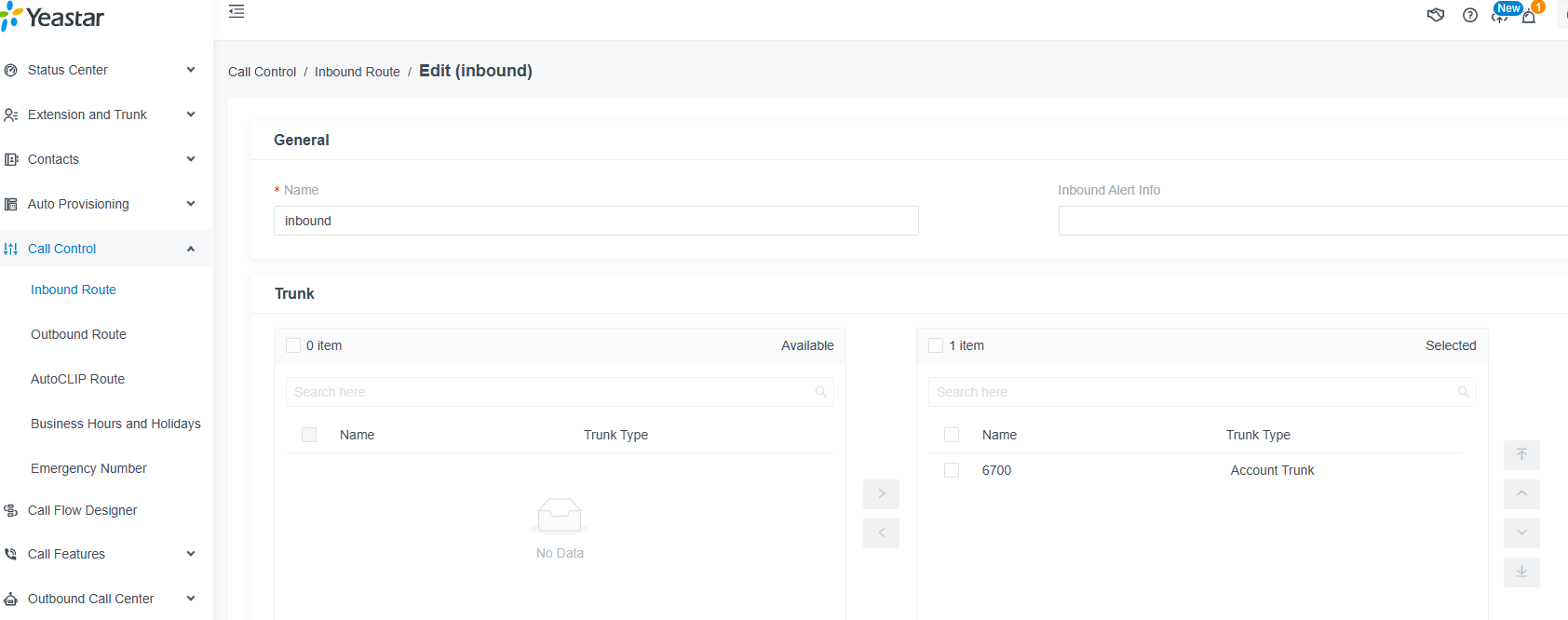
Inbound routing rules:

Step 4. Set Network Parameters in Web
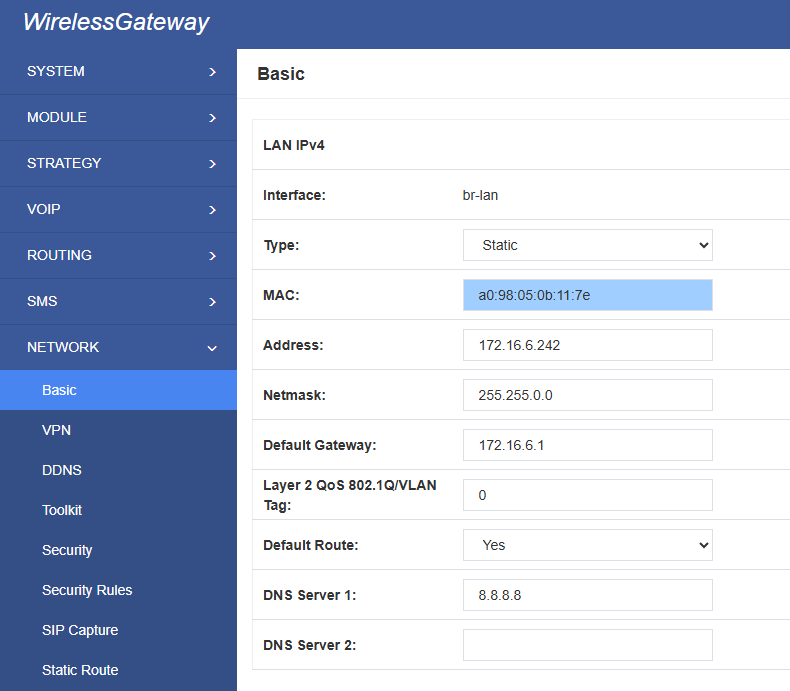
Log in to the network in the browser, and click “Network -> LAN Settings” to set your network parameters. The figure below is an example for reference only.
Step 5. Create a SIP Endpoint in Web
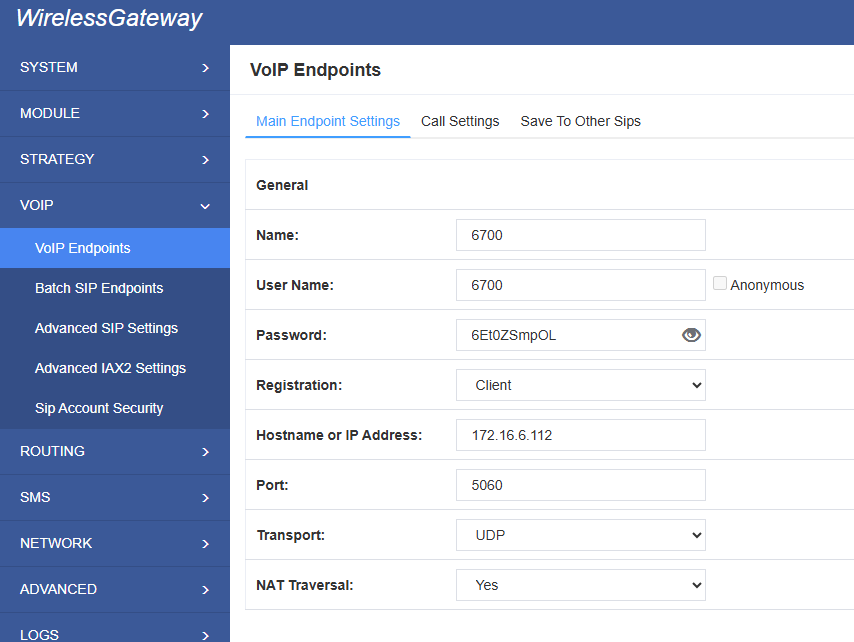
Please select “SIP—>SIP Endpoints—>Add New SIP Endpoint” to set SIP trunk. The following figure shows detail information about how to set it.
About other parameters in SIP, please set by your requirements for there is no need to set them in simple calls.
Step 6. Set Routing Rules in Web
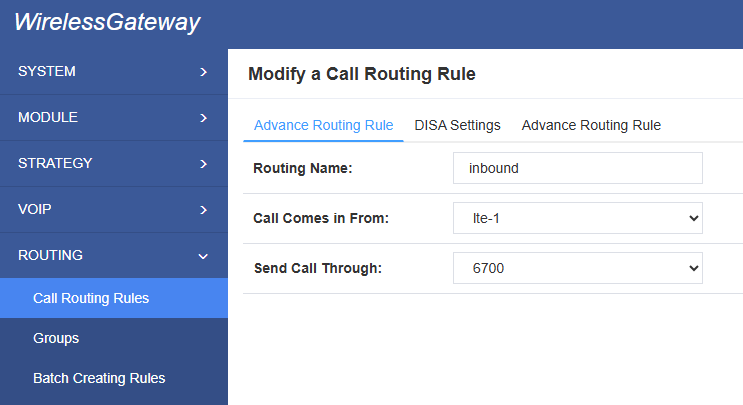
Click “ROUTING—> Call Routing Rules—> New Call Routing Rule” to set outbound and inbound routing rules like the following:
Inbound routing rules:
Outbound routing rules:
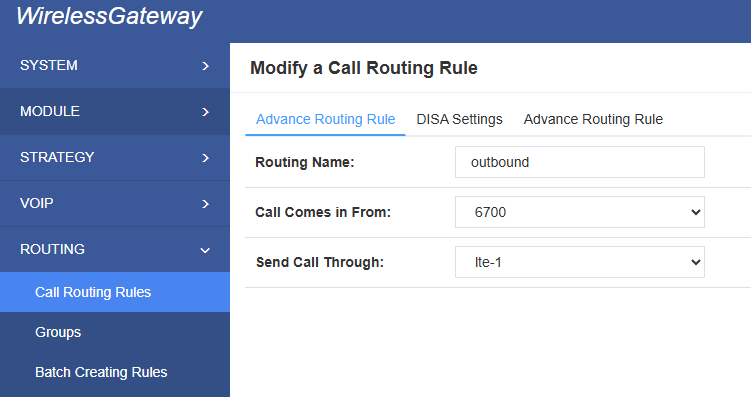
Please save all your changes to make effect.
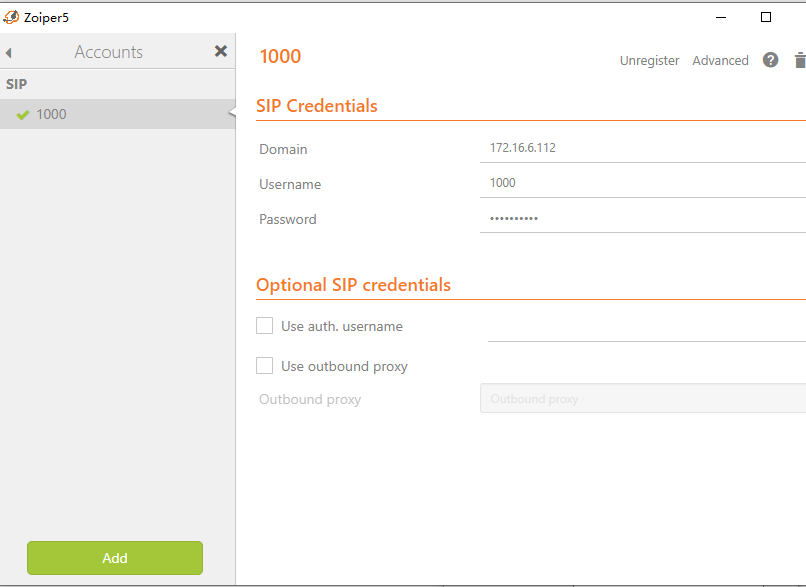
Step 7. Register a SIP extension by software
Taking advantage of SIP software such as Xlite, eyeBeam, Zopier to register a SIP extension(1000).
Test call:
Incoming call test: Dial the number of port 1 on the gateway via your mobile to see if 1000 will ring. If 1000 rings, it means your configuration is successful; unless, it means there is something wrong with your configuration, please check it.
Outgoing call test: Dial your mobile number on 1000 extension registered in a software phone. If your mobile rings, it means your configuration is ok; unless, please check your configuration.