
Gateway self-switching and PBX interworking configuration instructions
1. Overview
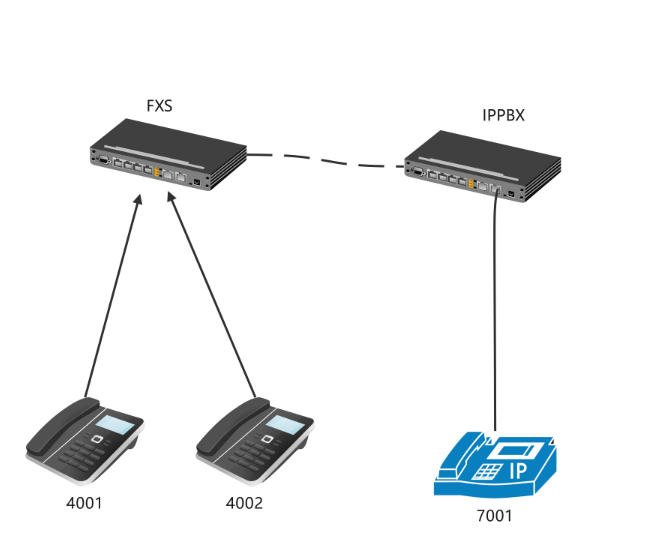
When an FXS gateway connects to a PBX through a SIP peer-to-peer trunk (SIP Trunk / P2P) without registration, enable local switching on the gateway so that calls between FXS analog phones bypass the PBX.
| Call scenario | Call path |
|---|---|
Calls between FXS analog phones (for example, 4001 calls 4002) |
Switched locally by the FXS gateway, bypassing the PBX |
Calls between a softphone registered with the PBX and an FXS analog phone (for example, 7001 and 4001) |
Routed through the SIP peer-to-peer trunk between the PBX and the FXS gateway |
2. Configuration Steps
2.1 Configure the FXS Gateway
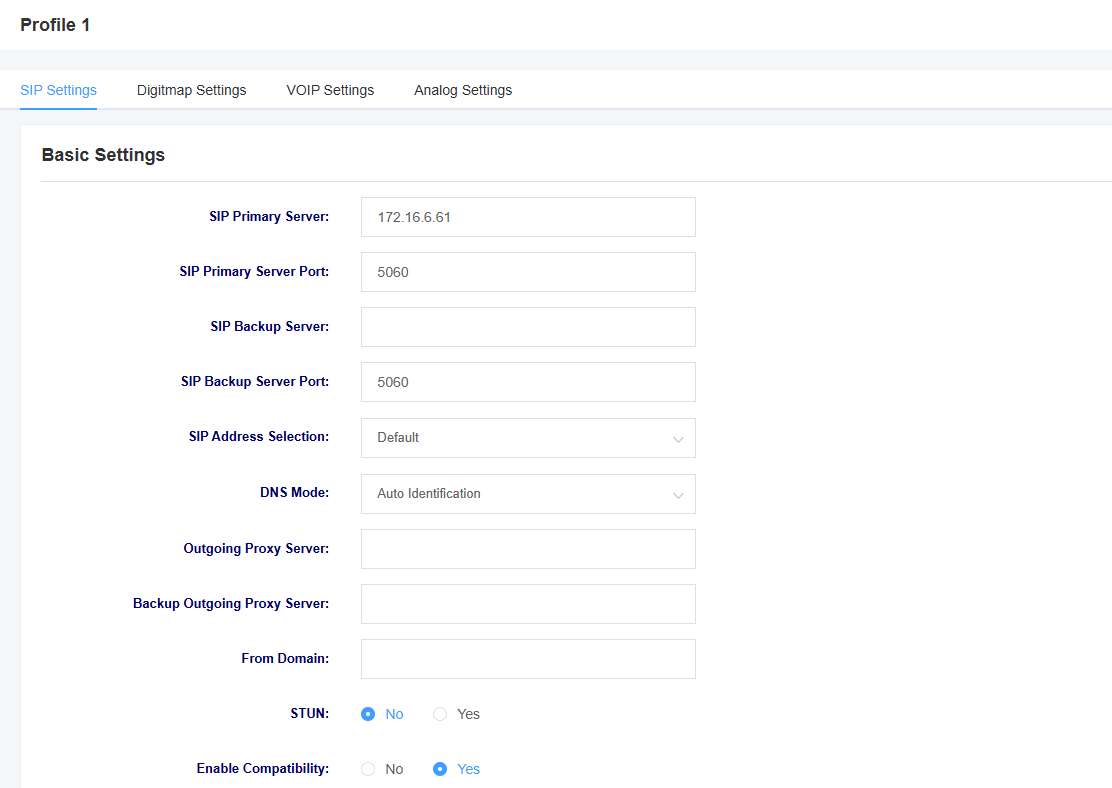
2.1.1 Configure the SIP Profile
Configure the SIP profile according to your network environment. The screenshot below shows an example configuration. Replace parameters such as the server address with the actual values for your installation.
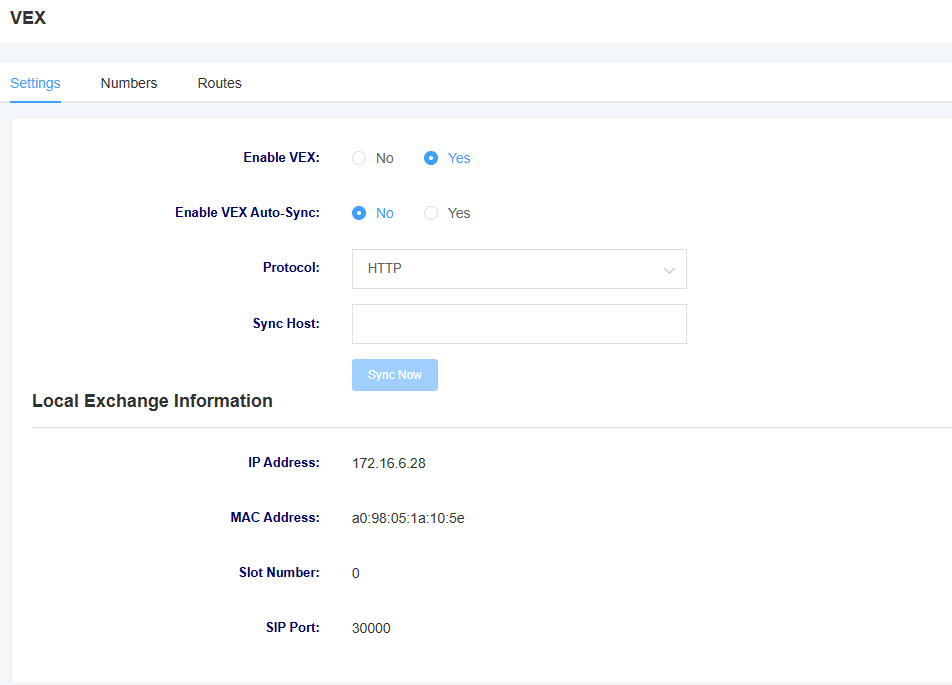
2.1.2 Set the SIP Listening Port
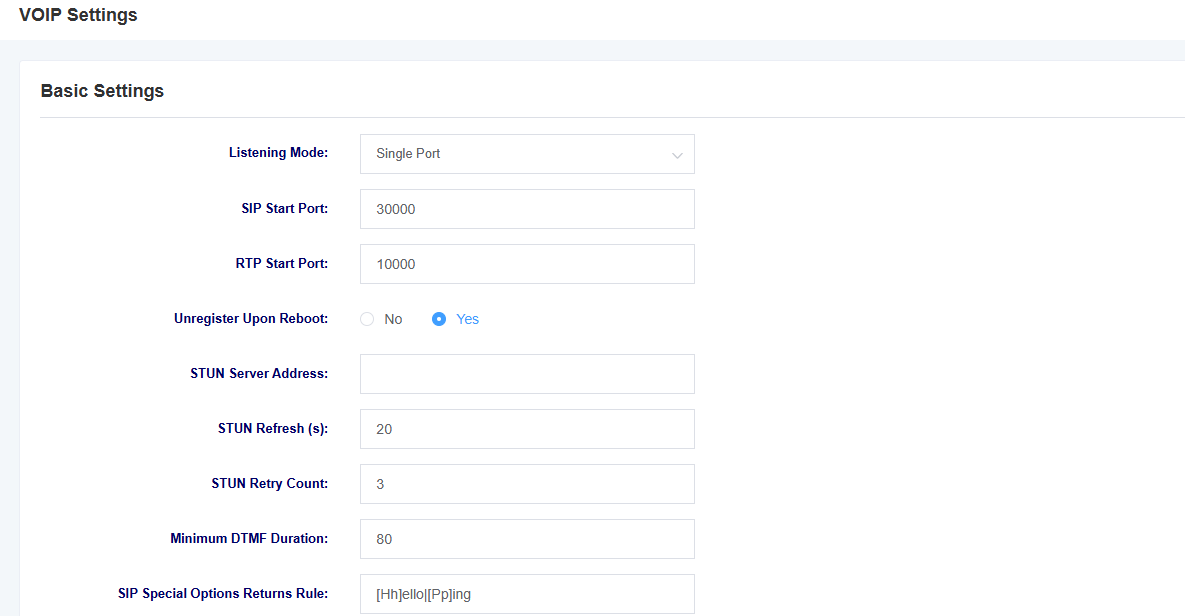
Confirm the following in the gateway’s SIP settings:
-
Listening mode: Single Port
-
SIP port: 30000
This interconnection scenario without registration requires single-port listening mode.
2.1.3 Configure the FXS Extensions
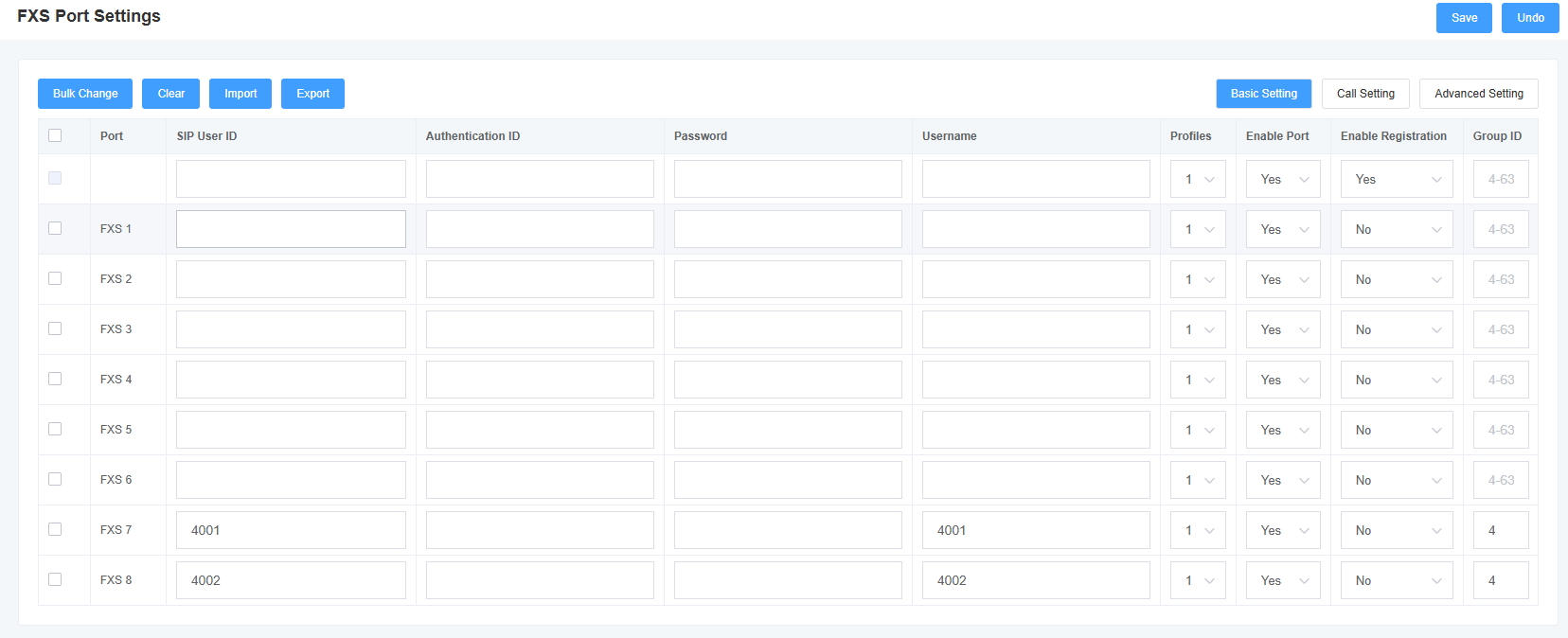
In the FXS port settings, configure the SIP user ID and username for each port you intend to use. In this example, port 7 is configured as 4001, and port 8 as 4002. These FXS extensions do not need to be created on the PBX.
2.1.4 Enable Local Switching and Configure the Number Table
Enable local switching in the gateway’s “Local Switching” settings, then add mappings between the FXS analog extension numbers and their physical ports to the number table. The example mappings are as follows:
| Extension number | Type | Slot number | FXS port |
|---|---|---|---|
4001 |
FXS | 0 |
7 |
4002 |
FXS | 0 |
8 |
Save the local switching settings and the number table configuration.
2.2 Configure the PBX Peer-to-Peer Trunk
Create a SIP peer-to-peer trunk on the PBX pointing to the FXS gateway:
-
Peer address: FXS gateway IP address
-
Peer port:
30000
If the PBX uses a dialing prefix to select this trunk, configure number manipulation to remove or replace the trunk selection prefix so that the number sent to the gateway matches the SIP user ID in the gateway’s local switching number table. For example, if the gateway’s number table contains 4001, the final number sent to the gateway must be 4001.
3. Verification
| Test call | Expected result | Verification points |
|---|---|---|
4001 calls 4002 |
Call connects | Switched locally by the gateway; on-site verification found no corresponding CDR on the PBX |
7001 calls 4001 |
Call connects | The extension registered with the PBX calls the FXS extension through the SIP peer-to-peer trunk |
4001 calls 7001 |
Call connects | The FXS extension calls the extension registered with the PBX through the trunk |
The screenshot below shows example call records on the gateway, which can be used to confirm the call status for the numbers above. These are gateway records and do not represent PBX CDRs.
